
Visualize Your Future Body with
AI Weight Loss Simulator
Upload a photo to our weight loss simulator, pick how many pounds to lose or gain, and see a realistic before-and-after that still looks like you — full body, not a pinched face filter. Men and women, any body shape.
Drop your photo here or browse
Clothed full-body or portrait • JPG, PNG
Use a photo with clothes on. Shirtless, swimwear or underwear photos are often blocked by the AI safety filter, and the simulation will fail. Fitted everyday clothes or gym wear work best.
Real weight change isn't proportional — this stops the AI from shrinking your legs when it's your belly that changes.
Upload a photo to start your simulation
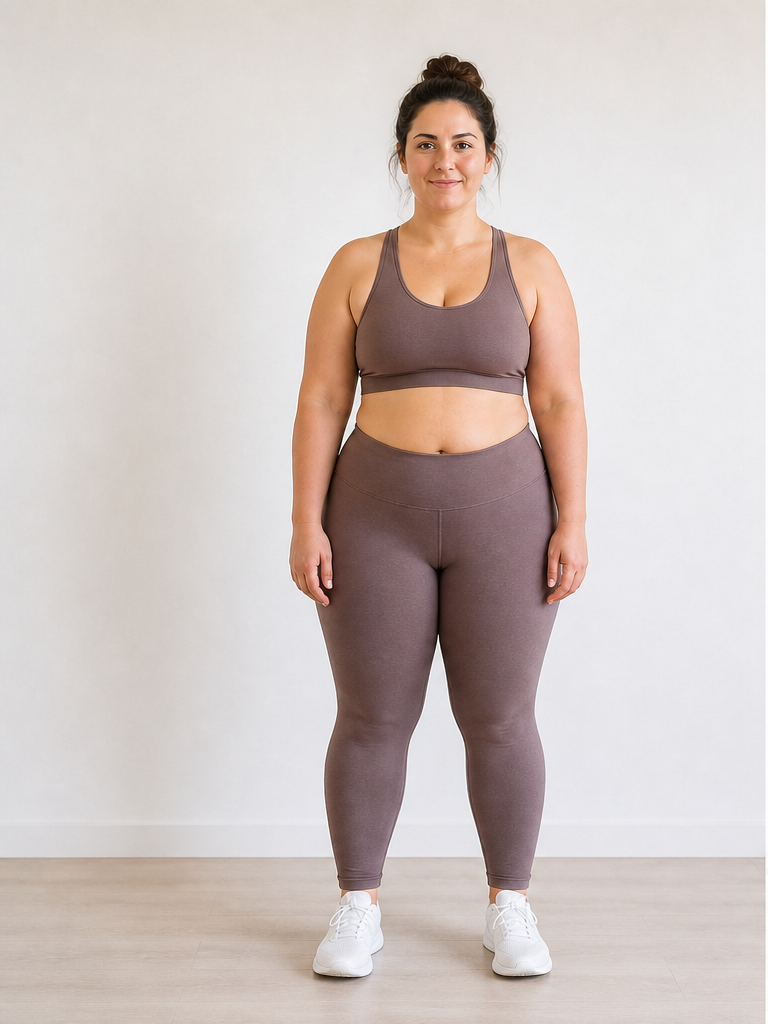 Before
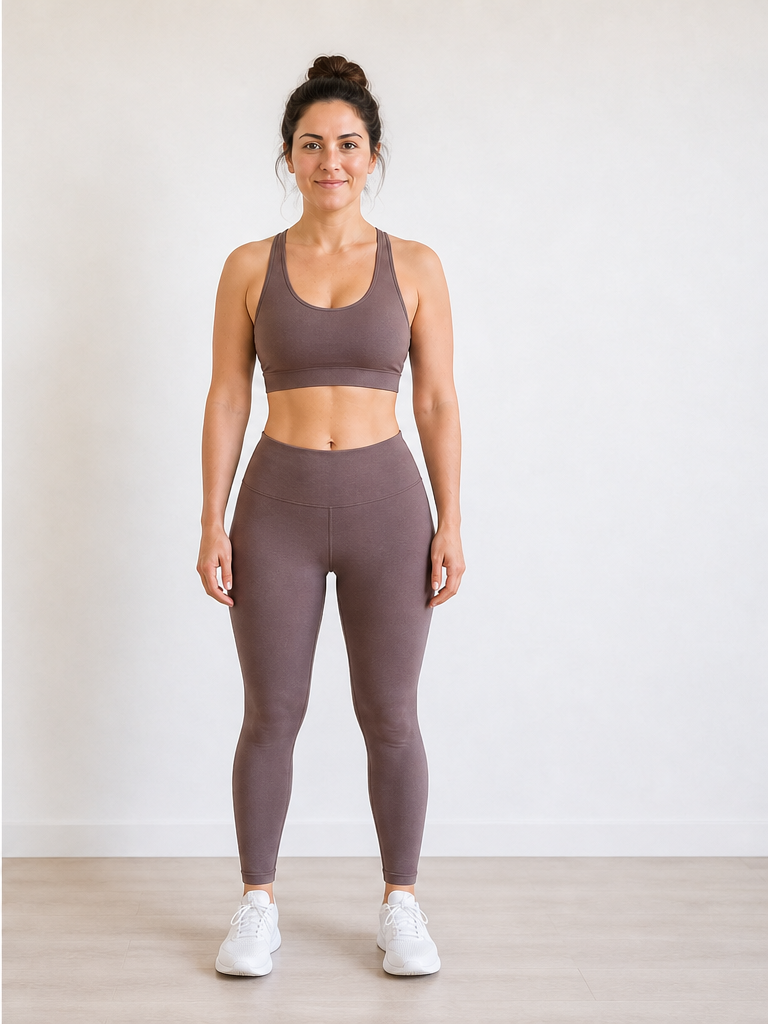 After −30 lbs
Demo · Upload your photo to generate your own
What is AI Weight Loss Simulator?
AI Weight Loss Simulator is an online tool that uses artificial intelligence to visualize your weight loss goals. Upload a photo, set your target weight, and see a realistic before and after weight loss comparison instantly.
Unlike generic photo filters, our weight loss simulator with photo is designed to preserve your identity, lighting, and background while creating a believable preview of your possible transformation.
Why Choose Our Weight Loss Simulator
A photo-based AI weight loss simulator for fast, realistic transformation previews.
Still Looks Like You — No Funhouse Warping
Older simulators just pinch your cheeks narrower. Ours keeps your face, features, and expression intact and redistributes weight the way a real body changes — face, neck, arms, waist, and legs.
Find Your Goal Weight
Not sure if 20 or 30 lbs is your number? Run the same photo at −10, −20, −30, −40 and compare — most people are surprised where the visible change kicks in.
Full Body, Not Just a Face Filter
Upload a full-body photo and see the whole change, or a portrait for face and jawline only. Works for men and women, any body shape.
Save It as Your Lock Screen
Download an HD Before & After card and keep your goal in front of you every day. Photos are processed securely and deleted after generation — never used for training.
How It Works
Three simple steps to visualize your weight loss journey.
Upload Photo
Upload a clear photo of yourself — full-body or portrait, well-lit, in fitted clothing for best results.
Set Your Weight
Use the weight slider or type in how many pounds you want to lose (or gain). Supports both lbs and kg.
See Your Result
Hit generate and our AI creates a photorealistic before and after weight loss simulation in seconds.
Weight Loss Simulator Plans
Buy a one-time credit pack, from $1.9 for one HD simulation — no subscription, and credits never expire.
Starter
One HD simulation, no commitment.
= 1 HD simulation
- 10 credits (1 HD simulation)
- No watermark
- Before & After card download
- Credits never expire
Popular
Compare a few target weights.
= 4 HD simulations
- 40 credits (4 HD simulations)
- No watermarks
- Try several target weights
- Before & After card downloads
- Credits never expire
Best Value
The full experience, every tool included.
= 10 HD simulations or 2 reports
- 100 credits (10 HD simulations or 2 reports)
- No watermarks
- Try several photos & target weights
- Looksmaxxing & body-fat reports
- Best price per credit
- Credits never expire
Credits never expire · No subscription · Secure checkout via Dodo Payments
Weight Loss Simulator FAQ
Common questions about our AI weight loss simulator.
What is an AI weight loss simulator?
Is the weight loss simulator free?
How does the weight loss simulator with photo work?
How accurate is the weight loss simulation?
Is my photo data secure?
Can I simulate both weight loss and weight gain?
Can I try several target weights on the same photo?
What kind of photo works best?
What would I look like if I lost weight?
Is there an app that shows what you would look like if you lost weight?
How is this different from a 3D body visualizer?
Can I share my before and after results?
Weight loss visualization guides
See Your Future Body Today
Try the photo-based weight loss simulator now. Upload a photo and preview your transformation in seconds.