
Weight Loss Simulator for Women
A weight loss simulator femalemode models how fat loss often shows on a woman's body — hips, thighs, waist, and face together. Upload your photo, keep Body Focus on Female, and preview a realistic before-and-after on your shape.
Full-body & leg-visible photos · Women's fat-pattern guidance
Drop your photo here or browse
Clothed full-body or portrait • JPG, PNG
Use a photo with clothes on. Shirtless, swimwear or underwear photos are often blocked by the AI safety filter, and the simulation will fail. Fitted everyday clothes or gym wear work best.
Real weight change isn't proportional — this stops the AI from shrinking your legs when it's your belly that changes.
Upload a photo to start your simulation
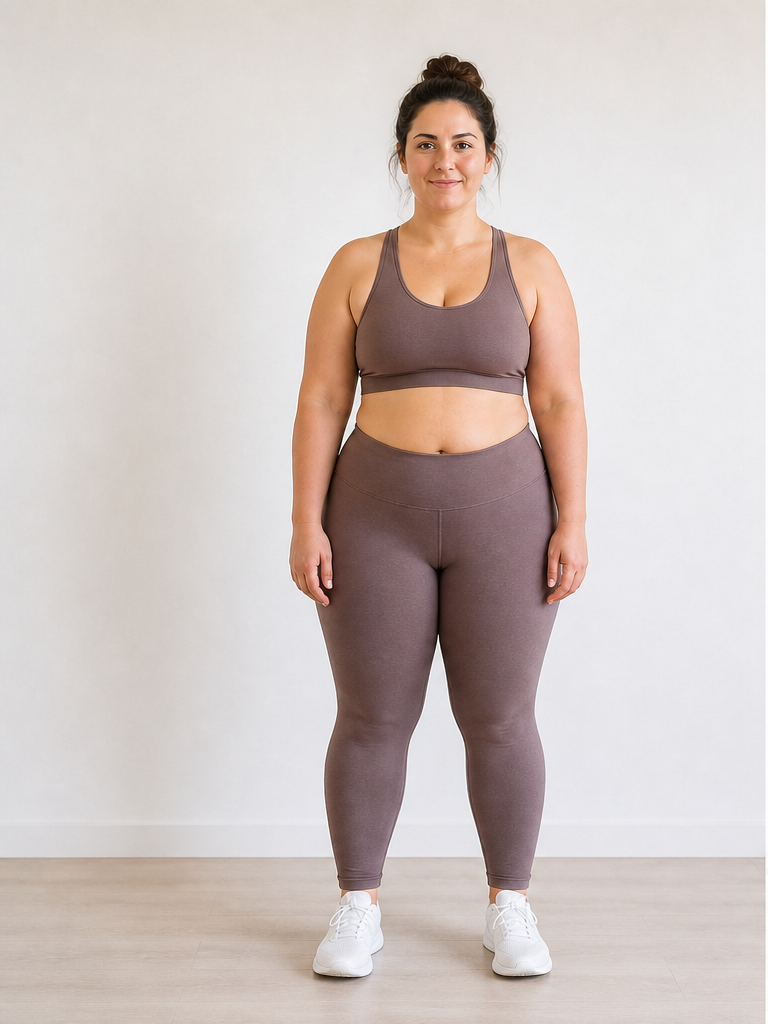 Before
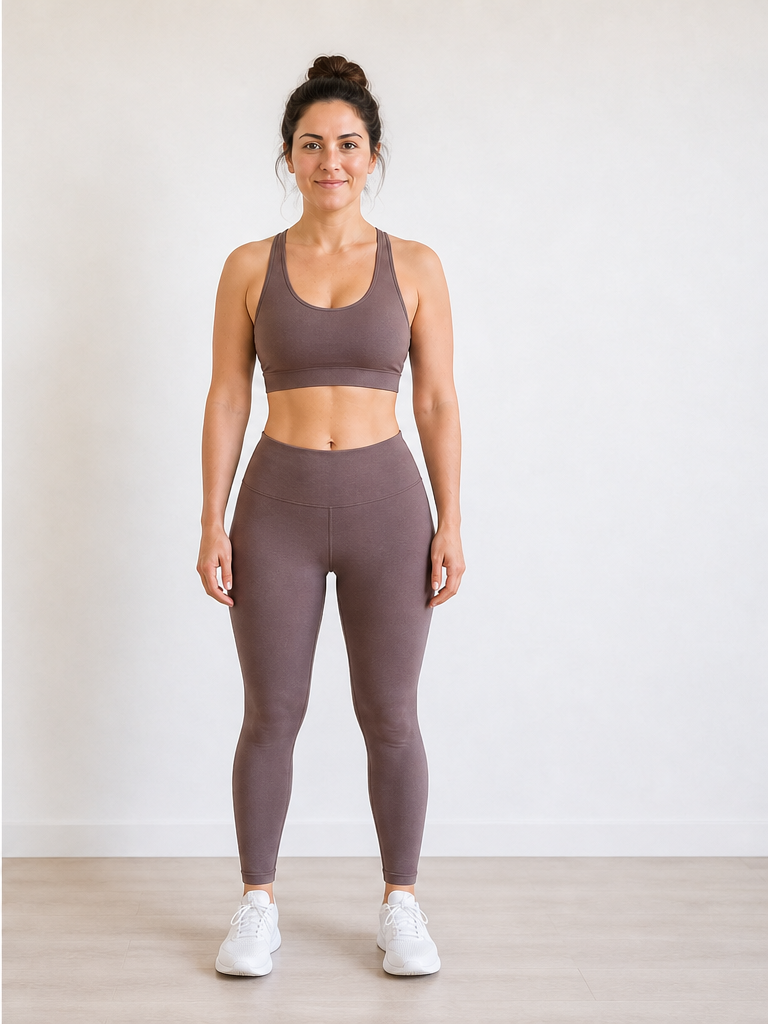 After −30 lbs
Demo · Upload your photo to generate your own
Where women often see weight loss in previews
A weight loss simulator womensearch usually cares about hips and legs — Female mode prioritizes those edits when they're in your photo.
Thighs & hips
Primary focus in Female mode — slimmer thighs and hip contour when legs are visible in your photo.
Knees, calves & ankles
Lower-leg definition often shifts with weight loss; full-body framing lets the simulator edit these areas.
Waist & abdomen
Waist slimming is included but balanced with leg transformation — not waist-only editing.
Arms, face & jawline
Upper-body and facial leanness round out the preview; use our face simulator for portrait-only detail.
Photo tips for women's weight loss simulations
Leg-visible photos get the most from Female body focus. More guidance on our photo upload guide.
Show your legs in frame
Full-body or knee-up photos unlock the thigh and calf edits that Female body focus is tuned for.
Choose fitted silhouettes
Leggings, jeans, or a fitted dress along the hips and thighs give clearer shape cues than flowy layers.
Stand with legs slightly apart
A natural stance with visible space between legs helps preview lower-body slimming more clearly.
Set Body Focus to Female
Pre-selected on this page — applies women's fat-distribution guidance to your simulation.
How women use a female weight loss simulator
Real scenarios where a women-focused preview helps more than a generic slimming filter.
Preview thigh and hip change
Many women search specifically for leg and hip transformation — Female mode weights those edits when they're visible.
Compare 15 vs 35 lbs
Run the same full-body photo at two targets to see which goal matches the shape you want.
Motivation before a new program
Visualize a realistic after photo before starting diet or training — for motivation, not medical prediction.
Pair with a face portrait
Use a full-body shot here and a close-up on our face weight loss simulator for cheek and jaw detail.
Weight Loss Simulator for Women FAQ
Questions about Female body focus, photos, and weight goals.
What is a weight loss simulator for women?
How is a weight loss simulator female mode different from generic?
What photo works best for a weight loss simulator women preview?
What weight goals do women usually simulate?
Can women use this for weight gain previews?
Is this the same tool as the men's simulator page?
Men's midsection-focused preview? See our weight loss simulator for men. Facial detail on our face weight loss simulator. Previewing weight gain instead? Use the AI weight gain filter. Pricing on our pricing page.
Preview your goal shape
Upload a leg-visible photo with Body Focus on Female and run the weight loss simulator women tool above — hips, thighs, and waist preview in about 15 seconds.