
Male Weight Loss Simulator
A weight loss simulator for men models how fat loss typically shows on a male body — abdomen, waist, chest, and jawline. Upload your photo, keep Body Focus on Male, and preview a realistic before-and-after on your frame.
Torso & full-body photos · Male fat-pattern guidance
Drop your photo here or browse
Clothed full-body or portrait • JPG, PNG
Use a photo with clothes on. Shirtless, swimwear or underwear photos are often blocked by the AI safety filter, and the simulation will fail. Fitted everyday clothes or gym wear work best.
Real weight change isn't proportional — this stops the AI from shrinking your legs when it's your belly that changes.
Upload a photo to start your simulation
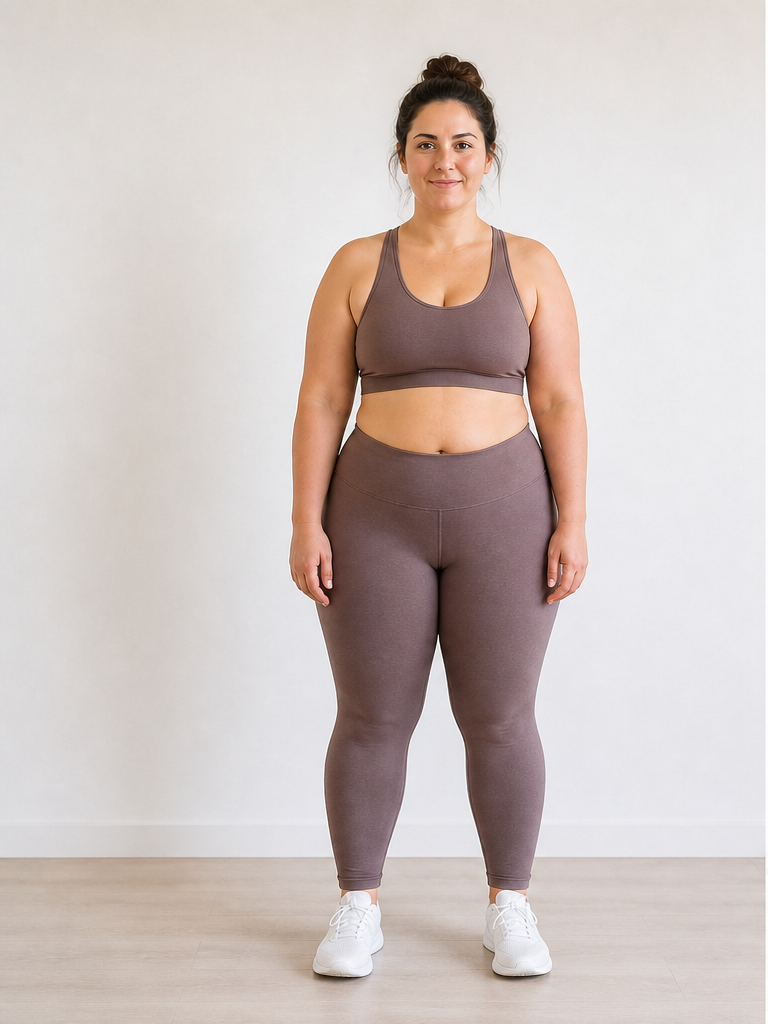 Before
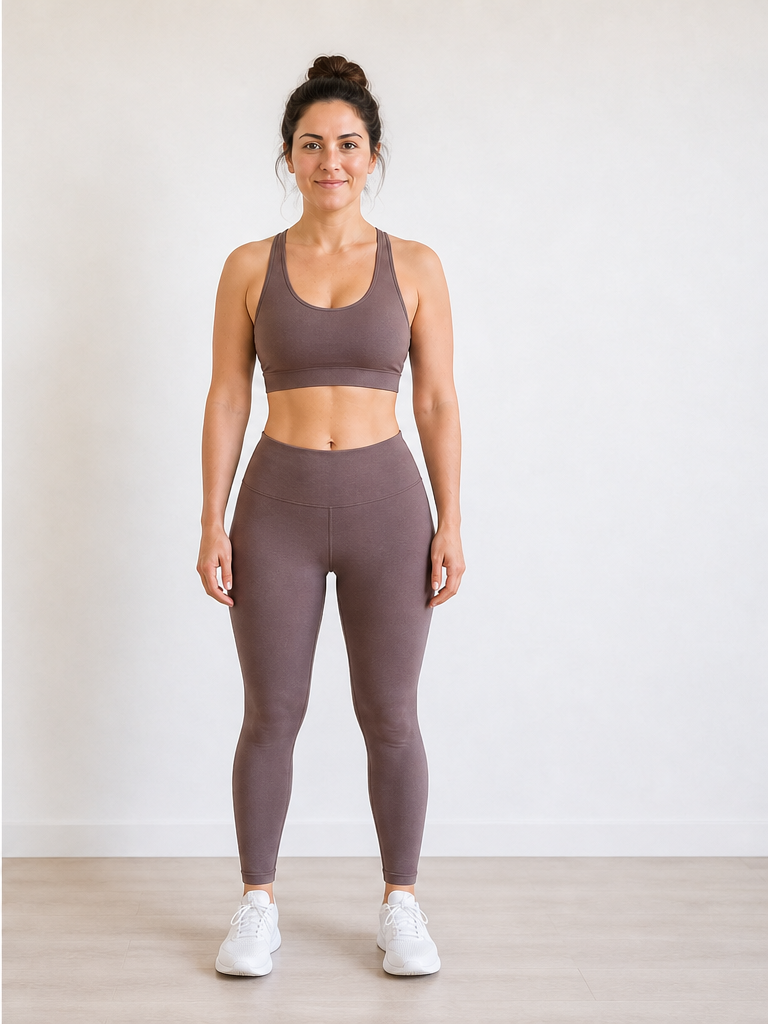 After −30 lbs
Demo · Upload your photo to generate your own
Where men usually see weight loss first
A weight loss simulator male mode prioritizes these areas in the AI edit — different from female-typical hip-and-thigh emphasis.
Abdomen & lower belly
Often the first visible shift men look for — waistband fit, front profile, and side belly contour.
Waistline & love handles
Side-angle photos show oblique slimming clearly; the Male focus mode weights these regions in the edit.
Chest & upper torso
Moderate weight loss can reduce upper-torso fullness; larger losses show more upper-body leanness.
Face & jawline
Many men search for jaw definition at goal weight — pair a torso shot with our face simulator for detail.
Photo tips for men's weight loss simulations
Better input photos mean a clearer weight loss simulator men result. More capture guidance on our photo upload guide.
Wear a fitted top
A t-shirt that follows your midsection gives the male weight loss simulator a clear abdomen outline to edit.
Include torso in frame
Waist-up or full-body shots beat tight headshots when the goal is belly and waist change.
Try a side angle
A 45° or profile photo helps preview love-handle and lower-belly changes men often target.
Set Body Focus to Male
Pre-selected on this page — confirms the AI uses male-typical fat-distribution guidance for your simulation.
How men use a male weight loss simulator
Common scenarios where a men-focused preview beats guessing from a scale number alone.
Preview the "20 lb cut" look
A common men's goal. Run -20 lbs on the same photo to see if that target matches the midsection change you want.
Before starting a gym program
Visualize a leaner waist as motivation before committing to diet and training — not a substitute for professional advice.
Compare shirt fit at two weights
Simulate -15 vs -35 lbs to decide which goal is worth the effort for how you want clothes to sit.
Jawline at goal weight
Men often notice facial leanness later in a cut. Combine torso simulations here with a portrait on the face simulator page.
Male Weight Loss Simulator FAQ
Questions about men's body focus, photos, and weight goals.
What is a male weight loss simulator?
How is a weight loss simulator for men different from a generic one?
Do I need a shirtless photo for a weight loss simulator male preview?
What weight goals do men usually simulate?
Can men use this for weight gain or muscle-building previews?
Is the weight loss simulator men tool the same as the homepage?
Focus on facial changes? Try our face weight loss simulator. Women's hip and thigh preview? See our weight loss simulator for women. Previewing weight gain instead? Use the AI weight gain filter. Pricing on our pricing page.
See your leaner look
Upload a photo with Body Focus set to Male and run the weight loss simulator for men above — preview abdomen, waist, and jaw changes in about 15 seconds.