
Before and After Weight Loss Simulator
A weight loss simulator before and after tool puts your current photo next to an AI simulation at your goal weight — then lets you drag a slider to compare them on one frame. Upload once, see the transformation instantly.
Interactive before/after slider · Downloadable results
Drop your photo here or browse
Clothed full-body or portrait • JPG, PNG
Use a photo with clothes on. Shirtless, swimwear or underwear photos are often blocked by the AI safety filter, and the simulation will fail. Fitted everyday clothes or gym wear work best.
Real weight change isn't proportional — this stops the AI from shrinking your legs when it's your belly that changes.
Upload a photo to start your simulation
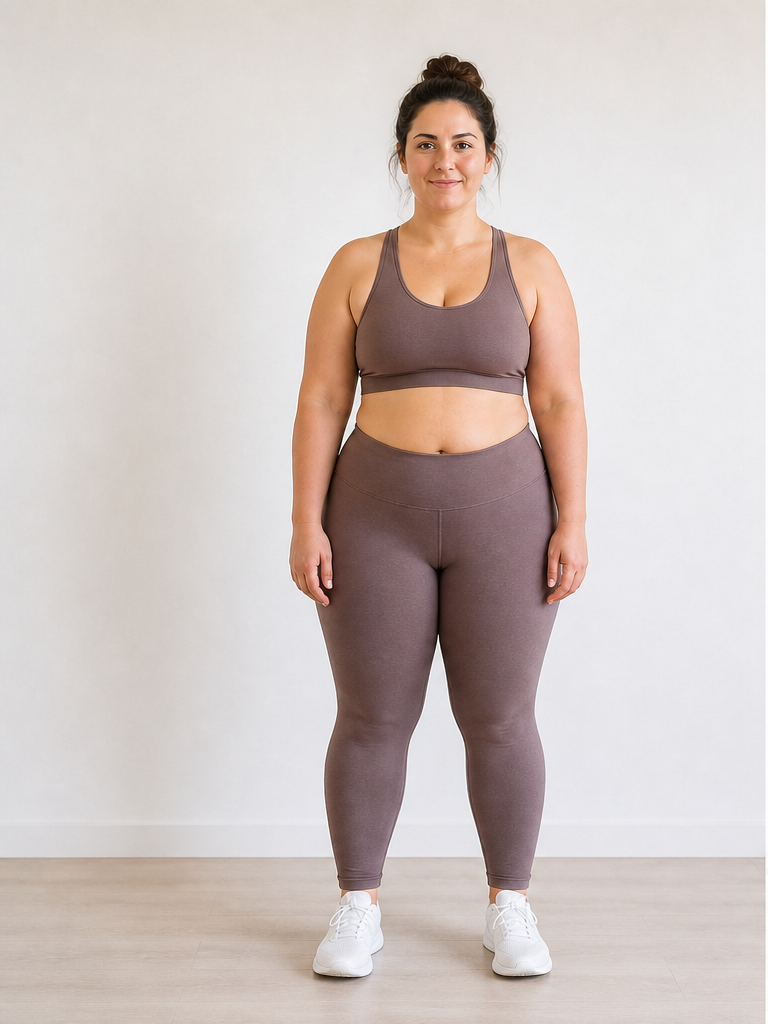 Before
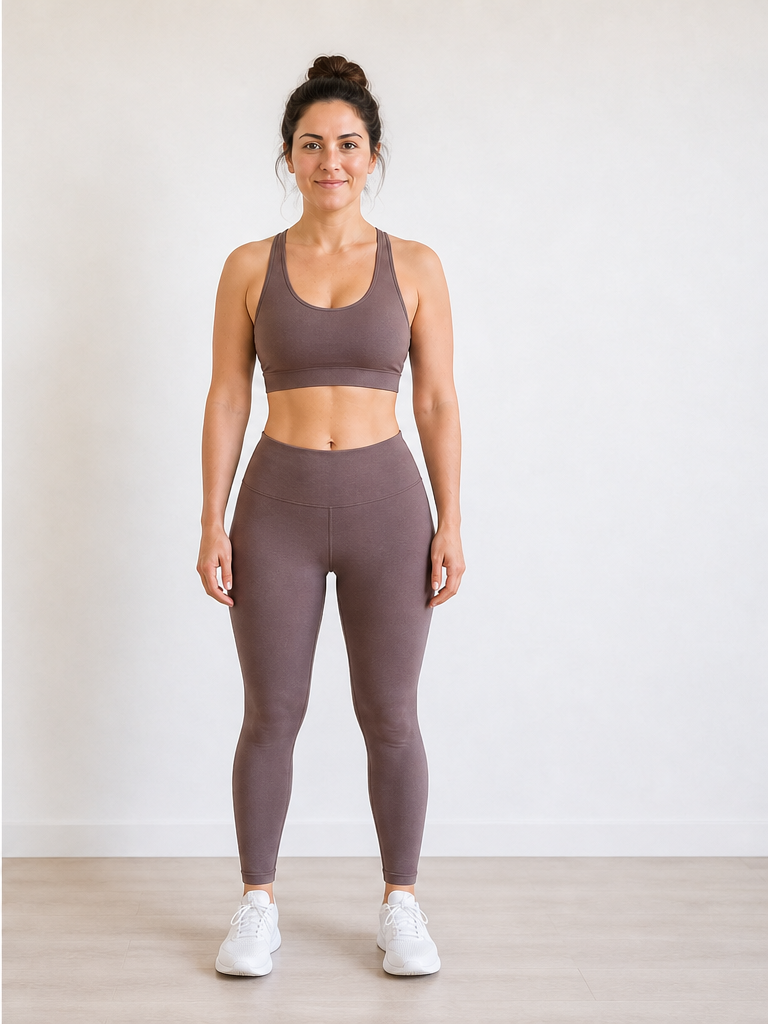 After −30 lbs
Demo · Upload your photo to generate your own
How the before-and-after slider works
Three steps from a single upload to an interactive before and after weight loss simulator comparison.
Upload your "before" photo
Your current picture becomes the left side of every comparison — the anchor for an honest before-and-after weight loss preview.
Generate the "after" simulation
Set pounds or kilograms to lose or gain. The AI returns a photorealistic after image at that target weight.
Drag the slider to compare
Swipe the handle to reveal before vs after on one frame — the core of a weight loss simulator before and after experience.
Tips for a clearer before-and-after comparison
Better input photos make the drag slider more convincing. More capture help on our photo upload guide.
Keep the same pose
Standing straight in both frames makes the slider comparison easier to read — the AI preserves your uploaded pose.
Use consistent lighting
Even light reduces false shadows that can look like weight change when you drag the slider.
Full-body for shape, portrait for face
Torso and leg changes show in full-body before/after; upload a portrait if jaw and cheek comparison matters most.
Label your goal weight
Mental note the slider target (e.g. -25 lbs) when saving multiple before-and-after pairs from the same photo.
What you are comparing
Before
Your uploaded photo exactly as you are today — unchanged pixels on the left side of the slider.
After
An AI simulation at your chosen weight loss or gain — same identity, pose, and scene, edited body shape on the right.
Shape-focused preview? See our body shape weight loss simulator.
Why use a before-and-after simulator?
A side-by-side preview turns an abstract goal weight into something you can see and share.
Motivation wall
Save your before-and-after pair as a phone wallpaper or vision-board image while working toward a goal.
Trainer check-in
Show a coach the simulated after shape alongside your current photo — a visual target beyond scale weight.
Progress milestone preview
Before you hit -20 lbs, preview what that milestone might look like to stay focused mid-journey.
Share with accountability partners
Download the comparison to share privately with a friend or group — not medical proof, but a concrete visual goal.
Before and After Weight Loss Simulator FAQ
Questions about the comparison slider, downloads, and multiple previews.
What is a before and after weight loss simulator?
How does the weight loss simulator before and after slider work?
Is the before photo my real uploaded image?
Can I download the before and after images?
Can I create multiple before-and-after pairs at different weights?
How is this different from stitching two photos in an editor?
Pricing on our pricing page. Privacy in our Privacy Policy.
Create your before and after
Upload a photo above, generate your simulation, and drag the slider to compare — your weight loss simulator before and after preview in about 15 seconds.