
Body Shape Weight Loss Simulator
A body change weight loss simulator shows how your overall silhouette — waist, hips, shoulders, and limbs — might look at a different weight. Upload a full-body photo and preview a realistic body shape before-and-after on your frame.
Full-body shape focus · Photorealistic proportion edits
Drop your photo here or browse
Clothed full-body or portrait • JPG, PNG
Use a photo with clothes on. Shirtless, swimwear or underwear photos are often blocked by the AI safety filter, and the simulation will fail. Fitted everyday clothes or gym wear work best.
Real weight change isn't proportional — this stops the AI from shrinking your legs when it's your belly that changes.
Upload a photo to start your simulation
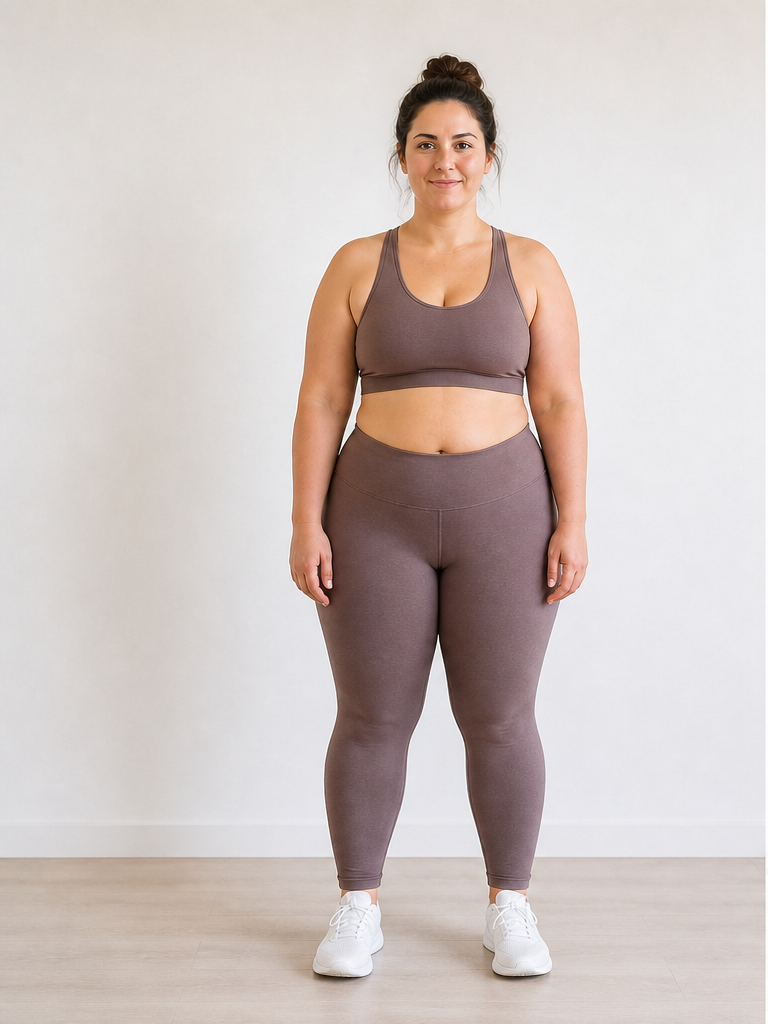 Before
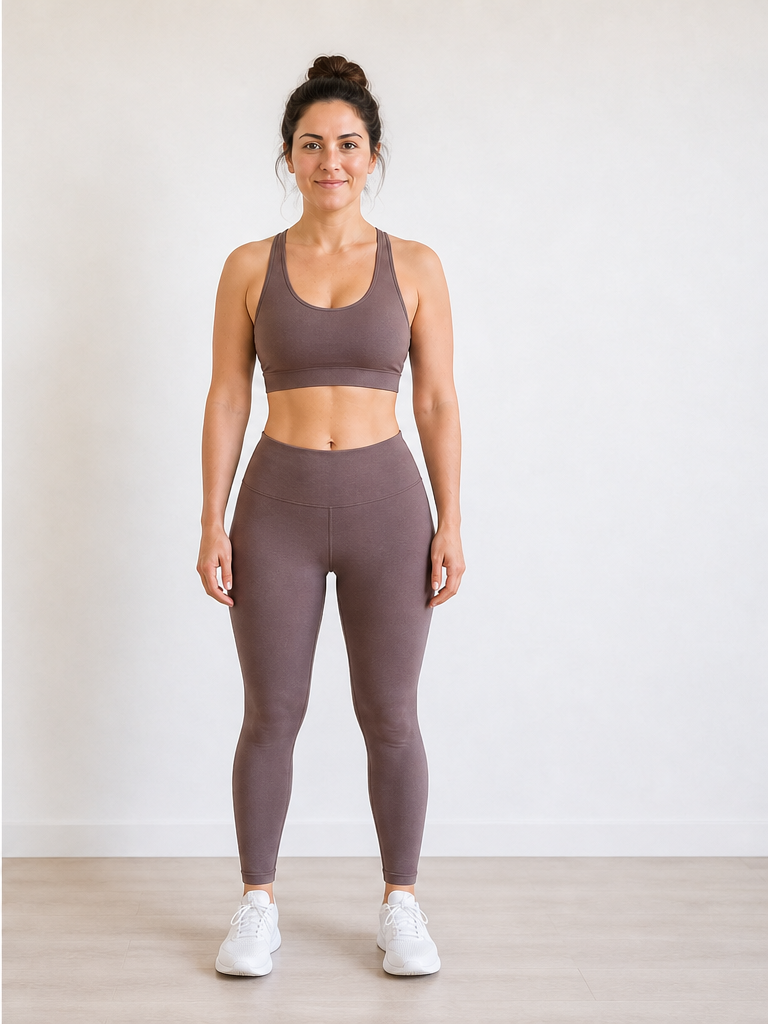 After −30 lbs
Demo · Upload your photo to generate your own
What counts as body shape in a simulator?
A body image weight loss simulator edits these proportion cues together — not just one isolated area.
Silhouette outline
The outer contour from shoulders through waist, hips, and legs — the first thing you notice in a before-and-after shape comparison.
Waist-to-hip ratio
How narrow the waist looks relative to hips and chest; weight loss often sharpens this curve on many body types.
Torso profile
Side-view belly and lower-back line; useful when front-on photos hide depth.
Limb proportions
Arm and leg thickness relative to torso — balanced shape edits keep limbs anatomically plausible at any goal weight.
How body shape shifts at different weights
Typical visualization patterns — individual results vary. Use the slider to test exact numbers on your photo.
Subtle silhouette refinement — slightly cleaner waist line, modest change in face and limb fullness.
Clearer body shape shift — more defined waist and hip transition on many full-body photos.
Major silhouette change — noticeably different outline in the same pose and clothing.
Body shape simulator vs generic outline tools
Searching for a body shape weight loss simulator usually means you want your shape, not a template. Compare approaches below.
Generic body outline app
Stock silhouette or avatar — not your face, not your clothes, not your proportions.
Body shape weight loss simulator
Edits your actual photo — same identity, realistic proportion shifts tied to a pound or kg target.
Browser-based 3D previews? See our virtual weight loss simulator.
Why use a body change simulator for shape goals?
Scenarios where silhouette preview beats imagining a number on the scale.
Match a goal weight to a goal shape
Decide whether -20 or -40 lbs gets the silhouette you want before committing — a body change preview, not a guess.
Clothing fit visualization
See how a leaner body shape might sit in the same outfit — jacket waist, dress line, or jeans profile.
Body image motivation
A concrete after image can support motivation when the scale moves slowly but shape is the real target.
Track shape across goals
Save simulations at multiple weights to compare how your body image shifts at each milestone.
Body Shape Weight Loss Simulator FAQ
Questions about silhouette previews, body image visualization, and full-body photos.
What is a body shape weight loss simulator?
How is a body change weight loss simulator different from the scale?
What does body image mean in a weight loss simulator context?
What photo shows body shape best?
Should I use Male or Female body focus for shape previews?
Is a body image weight loss simulator the same as a 3D body visualizer?
Gender-specific shape guidance: women · men. Photo tips on our photo upload guide. Pricing on our pricing page.
Preview your new body shape
Upload a full-body photo to the body shape weight loss simulator above and see how your silhouette could change — first preview in about 15 seconds.