
Weight Loss Image Simulator
A weight loss picture simulator turns a saved image into a realistic before-and-after picture — upload a JPEG or PNG, set a weight goal, and get an AI-edited output image of you, not a stock body or cartoon slimming effect.
JPEG & PNG in · Before-and-after image out
Drop your photo here or browse
Clothed full-body or portrait • JPG, PNG
Use a photo with clothes on. Shirtless, swimwear or underwear photos are often blocked by the AI safety filter, and the simulation will fail. Fitted everyday clothes or gym wear work best.
Real weight change isn't proportional — this stops the AI from shrinking your legs when it's your belly that changes.
Upload a photo to start your simulation
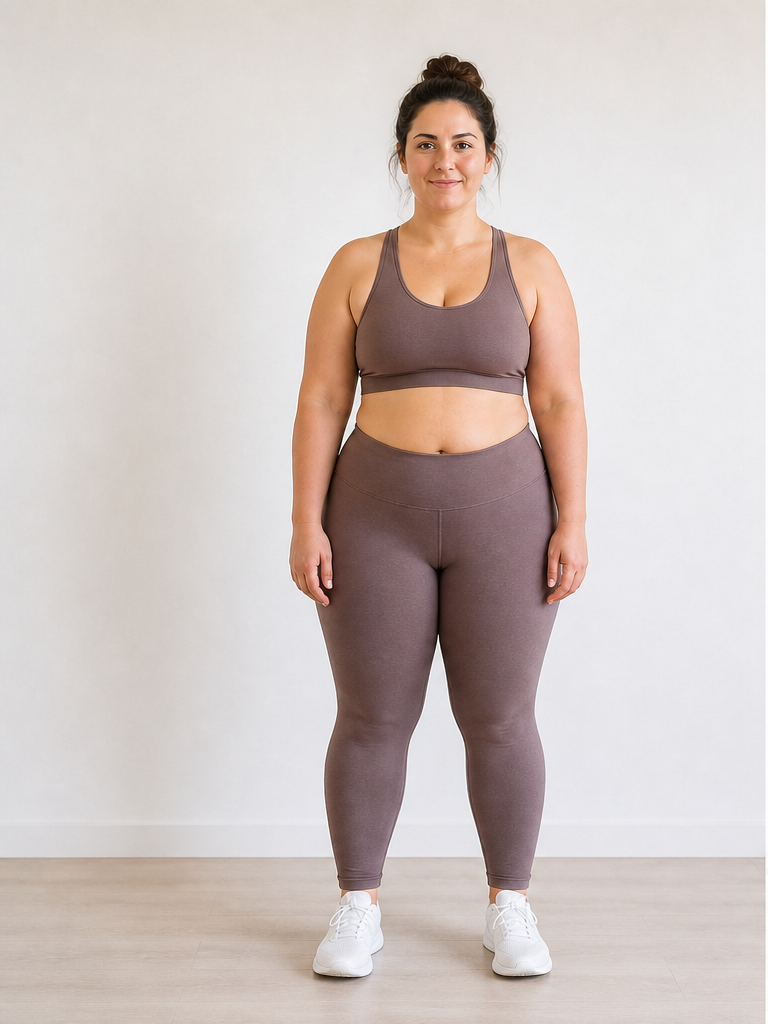 Before
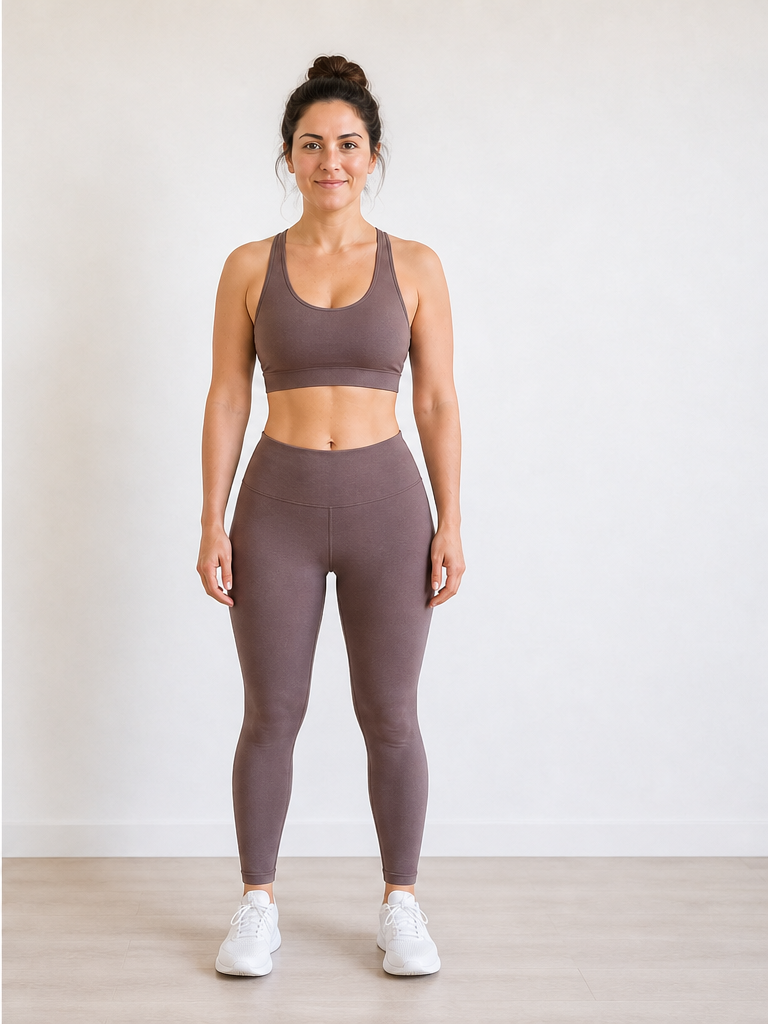 After −30 lbs
Demo · Upload your photo to generate your own
What does a weight loss image simulator do to your picture?
Unlike the homepage overview or a virtual body visualizer, a picture weight loss simulator is image-in, image-out — you keep the same file workflow you already use for photos on your phone.
Input picture
Your original JPEG or PNG — the source image the AI reads for body shape, pose, lighting, and identity.
AI image edit
The model applies a weight-change edit to the picture pixels while preserving your face, clothing, and scene.
Output image
A new picture file showing the simulated result, paired with your original in a downloadable before-and-after.
Which pictures work as source images?
A weight loss image simulator accepts pictures you already have — no new photoshoot required. For capture tips, see the photo upload guide.
Camera roll save
Most commonA picture you took weeks ago and never posted — ideal when you do not want to pose again right now.
Mirror picture
High qualityA full-length or waist-up mirror shot saved as an image file. Clear outline, fitted clothes = sharper edits.
Cropped group shot
Use with careA picture cropped to just you from a party or event. Works if limbs are not cut off at the frame edge.
Picture simulator vs slimming filter
Searchers looking for a weight loss picture simulatoroften confuse AI image editing with one-tap "make me thinner" filters. Here is the difference.
Generic slimming filter
Warps the whole frame, smooths skin into plastic, often changes face shape unrealistically
Weight loss image simulator
Edits body volume on your real picture, keeps identity and background, tied to a numeric weight goal
What can you do with the output image?
The product is the edited picture itself — not just an on-screen preview.
Turn one picture into many goal images
Run the same source image at -10, -20, and -40 lbs to build a row of picture previews and pick the goal that feels motivating.
Save a before-and-after image
Download the output picture for a vision board, lock screen, or private folder — a visual anchor beyond a number on the scale.
Compare picture edits side by side
The built-in slider lets you drag between your original picture and the simulated image without opening an editor.
Test a picture before sharing
Preview how a weight-loss goal might look on you in image form before posting anything to social media.
Weight Loss Image & Picture Simulator FAQ
Questions about image formats, picture sources, and output files.
What is a weight loss image simulator?
Is a weight loss picture simulator different from a photo simulator?
What picture formats does the weight loss image simulator accept?
Can I use a picture I already have, or do I need a new one?
What does the output picture look like?
How is this different from a slimming filter on social media?
Need help taking a better source picture? See our weight loss simulator with photo guide. Previewing weight gain instead? Use the AI weight gain filter. Pricing on our pricing page.
Turn your picture into a preview
Pick any JPEG or PNG from your gallery, run it through the weight loss image simulator above, and download a before-and-after picture in seconds.