
AI Weight Gain Filter
Upload a photo and see yourself heavier. No sliders, no settings — this AI weight gain filter runs one full transformation on your real picture, so an AI fat filter result is one click away.
Weight gain only · +20 to +100 lbs · HD from $1.9
Drop your photo here or browse
Clothed full-body or portrait • JPG, PNG
Use a photo with clothes on. Shirtless, swimwear or underwear photos are often blocked by the AI safety filter, and the simulation will fail. Fitted everyday clothes or gym wear work best.
Real weight change isn't proportional — this stops the AI from shrinking your legs when it's your belly that changes.
Upload a photo to start your simulation
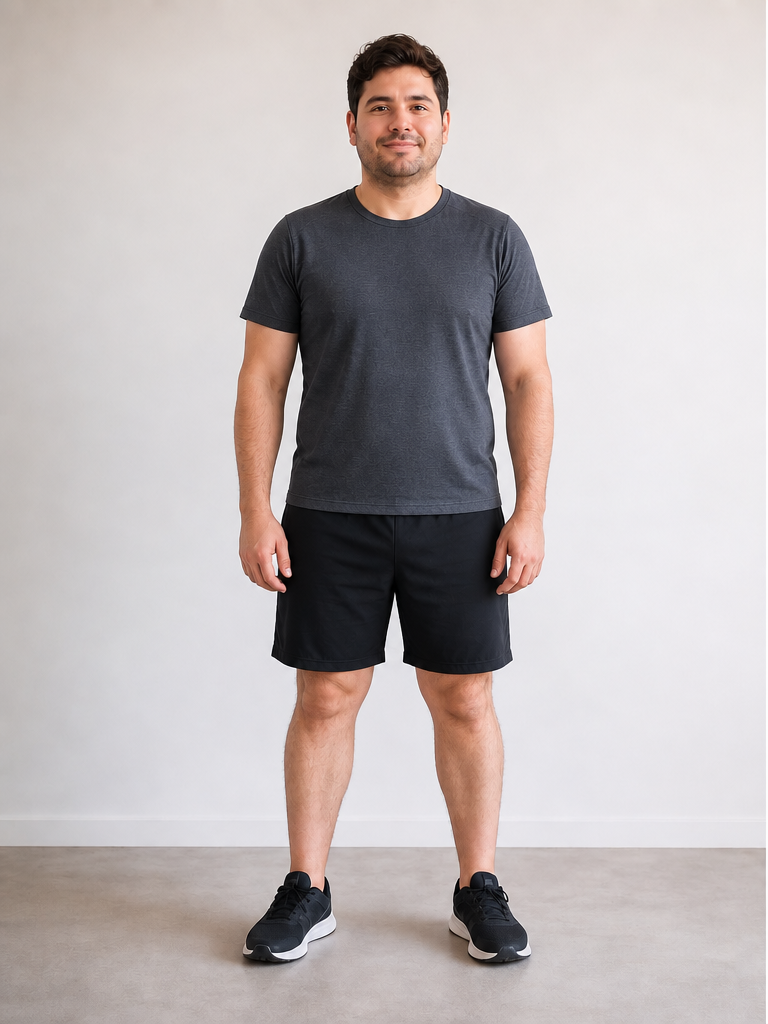 Before
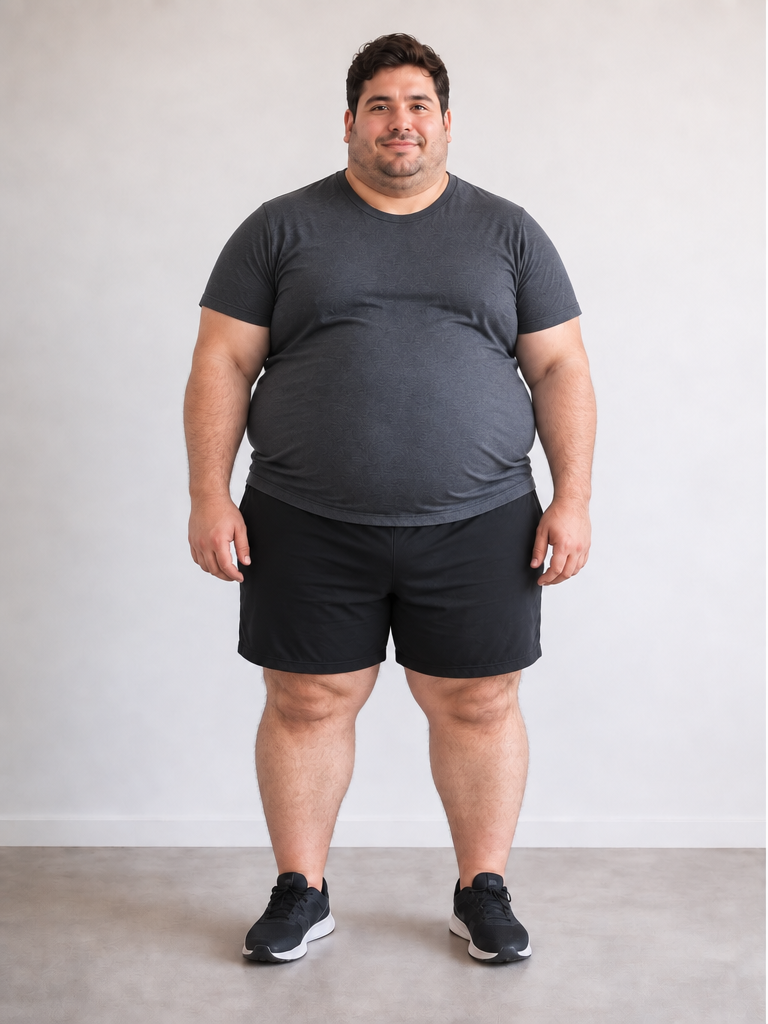 After +100 lbs
Demo · Upload your photo to generate your own
AI fat filter vs. AI weight gain filter
Both phrases describe the same wish — see a heavier version of yourself. They do not describe the same technology.
Social "fat filter" lens
One-tap effect applied live through the camera. Warps the whole frame by a fixed amount, often bloats the face into a caricature, and has no concept of how many pounds it is showing.
AI weight gain filter (this tool)
Adds weight to the photo you upload. Fullness is distributed across abdomen, face, arms, and legs the way body mass actually settles, and your identity, clothes, and background stay the same.
How the AI weight gain filter works
Three steps, about fifteen seconds. Same engine as our weight loss simulator, pointed in the opposite direction.
Upload a photo
Any clear solo picture from your camera roll — full-body, waist-up, or a mirror shot. Nothing is posted anywhere.
Press generate
There is no amount to set. The only optional step is Body Focus — male or female — which sharpens where the AI adds mass.
Get the before-and-after
The AI returns an edited image beside your original in a drag-to-compare slider, ready to download.
What the weight gain actually changes
A generic AI fat filter puffs up whatever is nearest the camera. Real weight does not land in one place — here is where it goes.
Face & jawline
Rounder cheeks, a softer jaw and chin line, fuller neck. This is where a fat filter reads first, and where identity has to survive the edit.
Torso & midsection
Abdomen, waist, and lower belly carry most of the added weight, with the chest and upper back filling out alongside them.
Arms, hips & legs
Upper arms, hips, thighs, and calves thicken in proportion, so the silhouette stays balanced instead of ballooning in one spot.
Why people use a weight gain filter
Curiosity is the most common reason — and it is a perfectly good one.
Curiosity and fun
The most common reason people search for an AI fat filter — you just want to see the other version of yourself, the same way you would try an age or hairstyle filter.
Healthy weight-gain goals
Underweight, recovering from illness, or bulking on purpose? Seeing a target on your own body makes a gain goal feel concrete instead of abstract.
A motivation reference point
Some people preview the direction they do not want to go as a personal checkpoint. That is your call to make — the tool is neutral about it.
Costume, casting, and character work
Actors, illustrators, and writers use weight-change previews to picture a character or a prosthetic look before committing to it.
About body size and this tool
Weight gain previews are generated as a neutral, realistic edit of your photo — not a joke, a caricature, or a "before" to be ashamed of. The model is instructed to avoid distortion and exaggerated features, and results are for visualization only.
Upload only photos of yourself, or of someone who has agreed to it. Generating images of other people to mock their body is not allowed — see our Acceptable Use Policy. Nothing here is medical or nutritional advice; talk to a clinician about any real weight-gain plan.
AI Weight Gain Filter FAQ
Questions about the gain direction, fat filters, photos, and pricing.
What is an AI weight gain filter?
Is this the same as an AI fat filter?
Why can't I choose how much weight to add?
Does the AI weight gain filter change my face?
What photo works best?
Is the AI weight gain filter free?
Can I pick a different amount, or simulate weight loss?
Want the other direction? Use the AI weight loss simulator. Want face-only changes? Try the face weight loss simulator. Need help picking a photo? See the photo upload guide. Credit packs on the pricing page.
See the heavier version of you
Pick a photo, press generate, and get a realistic weight gain before-and-after in about fifteen seconds. Nothing to configure.