
Face Weight Loss Simulator
A weight loss face simulator shows how your jawline, cheeks, and chin might look at a different weight — upload a portrait, set a goal, and preview a realistic facial before-and-after while keeping you recognizable.
Portrait & head-and-shoulders photos · Face identity preserved
Drop your photo here or browse
Clothed full-body or portrait • JPG, PNG
Use a photo with clothes on. Shirtless, swimwear or underwear photos are often blocked by the AI safety filter, and the simulation will fail. Fitted everyday clothes or gym wear work best.
Real weight change isn't proportional — this stops the AI from shrinking your legs when it's your belly that changes.
Upload a photo to start your simulation
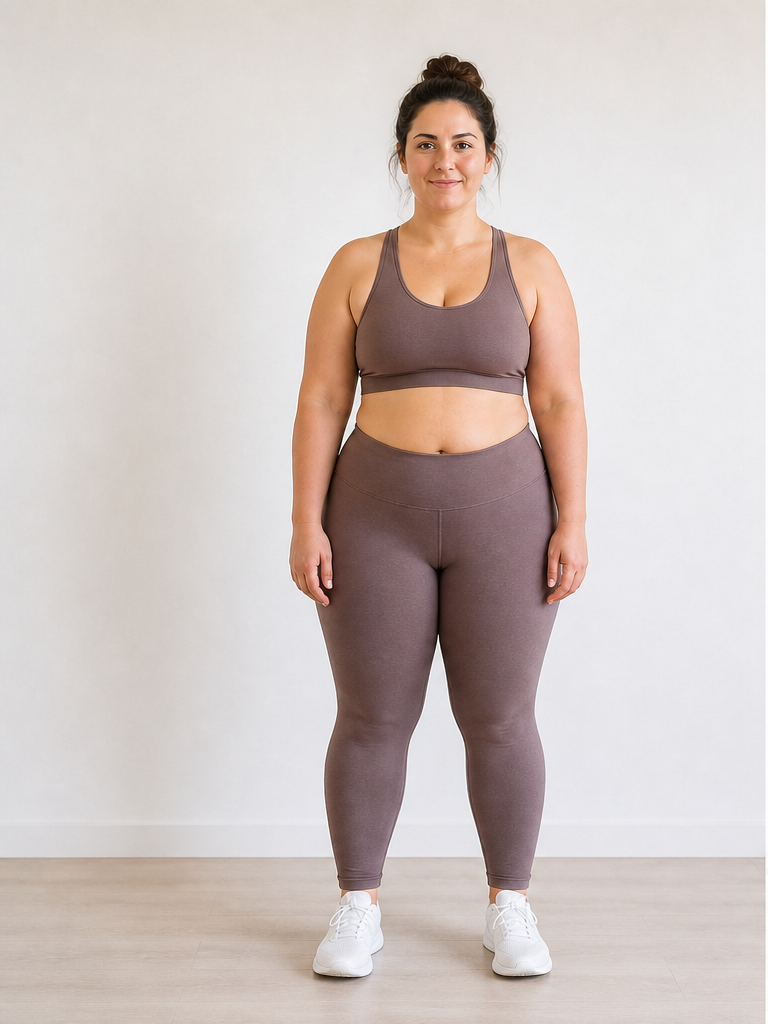 Before
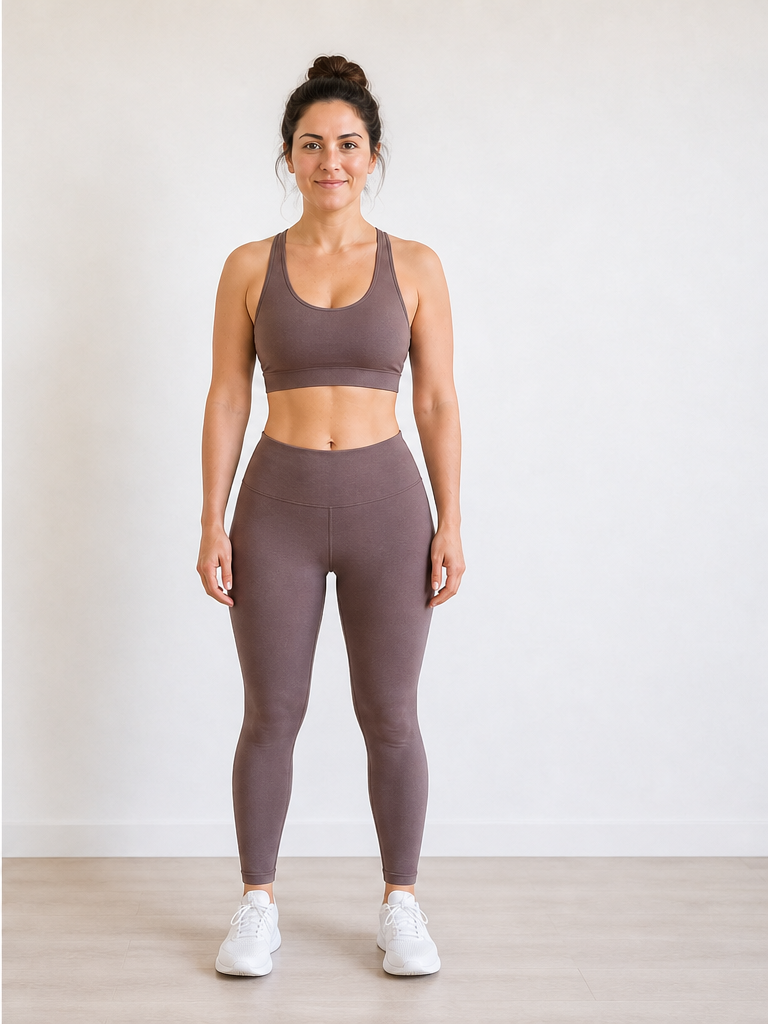 After −30 lbs
Demo · Upload your photo to generate your own
What changes in your face when you lose weight?
A weight loss simulator face preview models how facial fat and neck volume shift at different goals — not just overall body size.
| Facial area | ~10 lbs | ~30 lbs | ~50 lbs |
|---|---|---|---|
| Jawline & chin | Subtle definition; double chin may soften slightly | More visible jaw contour; cleaner chin-neck transition | Pronounced jawline change for many face shapes |
| Cheeks | Slight reduction in mid-face fullness | Noticeably leaner cheek area on many portraits | Significant cheek volume change; bone structure more apparent |
| Neck | Minor tightening under the jaw | Clearer neck line in front-facing shots | More dramatic neck slimming in portrait framing |
Typical patterns for visualization only — individual results vary with genetics, age, and starting composition.
Best portraits for a face weight loss simulator
Face previews depend on how clearly the camera sees your features. For full-body capture tips, see our photo upload guide.
Face the camera directly
Front-facing portraits give the clearest read on jaw symmetry and cheek volume for a weight loss face simulator.
Light your face evenly
Soft front light reduces harsh shadows under the chin that can confuse under-jaw edits.
Keep hair off the jawline
Tucked-behind-ears or pulled-back hair exposes chin and neck — where weight loss often shows first.
Skip sunglasses and filters
Eyes, brows, and natural skin tone help the AI preserve your identity in the face preview.
Face simulator vs face-slimming filter
People searching for a face weight loss simulator often land on apps that pinch cheeks with one tap. This tool ties facial changes to a real weight goal on your actual portrait.
Face-slimming filter
Instant cheek pinch, plastic skin, no connection to body weight or health goals.
Weight loss face simulator
Goal-linked edits on your real photo — jaw, cheeks, chin, and neck change together at a set pound or kg target.
Why use a weight loss simulator for your face?
Facial change is often the most searched part of a transformation — these are the scenarios where a face preview helps most.
Preview your face at goal weight
The scale tracks pounds; a face weight loss simulator shows what those pounds might look like on your actual features.
Compare 10 vs 30 lbs on your face
Run the same portrait at different targets and see which facial change feels motivating before committing to a goal.
Motivation for a double-chin goal
Many people search specifically for jaw and chin changes. A portrait simulation makes that progress tangible before it happens.
Pair with a full-body preview
Use a face-focused portrait here and a full-body shot on our photo guide for a complete before-and-after picture.
Face Weight Loss Simulator FAQ
Questions about facial previews, portraits, and how face changes are simulated.
What is a face weight loss simulator?
Does a weight loss face simulator only edit my face?
How much does your face change when you lose weight?
When do you start seeing weight loss in your face?
What photo works best for a weight loss simulator face preview?
Is a weight loss simulator face tool the same as a face-slimming filter?
Can I use a face weight loss simulator for weight gain too?
Want a full-body preview too? See our weight loss simulator with photo. Pricing on our pricing page.
Preview your face at goal weight
Upload a clear portrait to the face weight loss simulator above and see how your jawline, cheeks, and chin could look — first preview in about 15 seconds.