
Virtual Weight Loss Simulator
A virtual weight loss simulator builds a digital preview of your future body in the browser — no VR headset, 3D scan, or app install. Upload a photo, set a goal weight, and see a virtual before-and-after of you in about 15 seconds.
Works on desktop & mobile · No download required
Drop your photo here or browse
Clothed full-body or portrait • JPG, PNG
Use a photo with clothes on. Shirtless, swimwear or underwear photos are often blocked by the AI safety filter, and the simulation will fail. Fitted everyday clothes or gym wear work best.
Real weight change isn't proportional — this stops the AI from shrinking your legs when it's your belly that changes.
Upload a photo to start your simulation
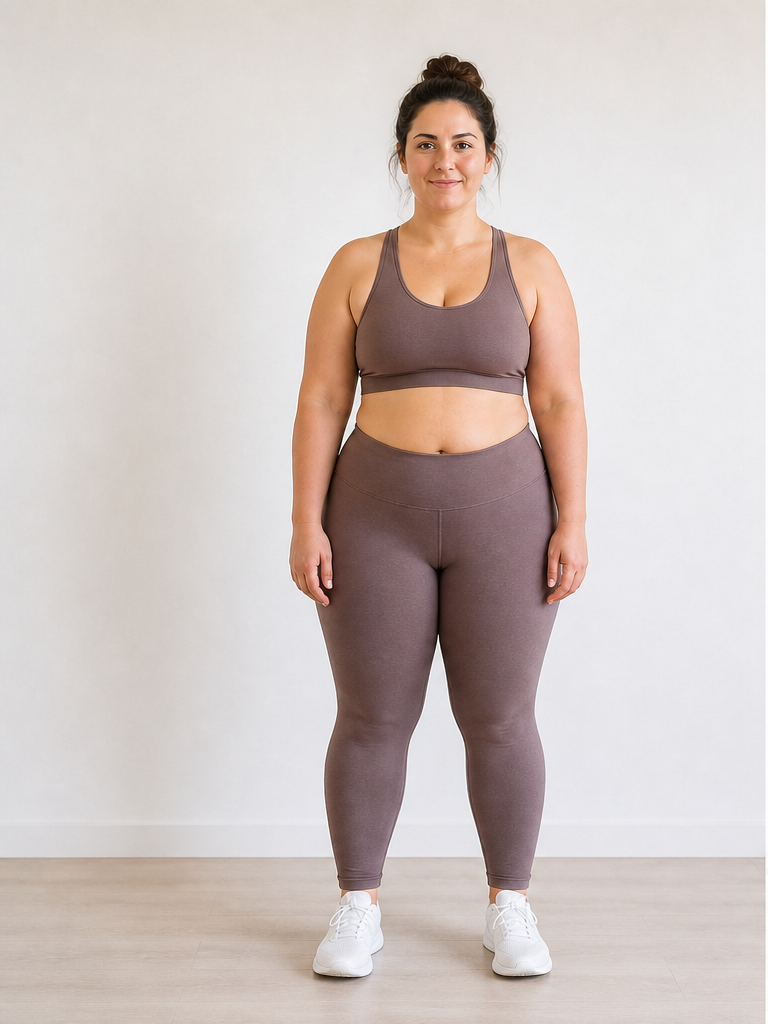 Before
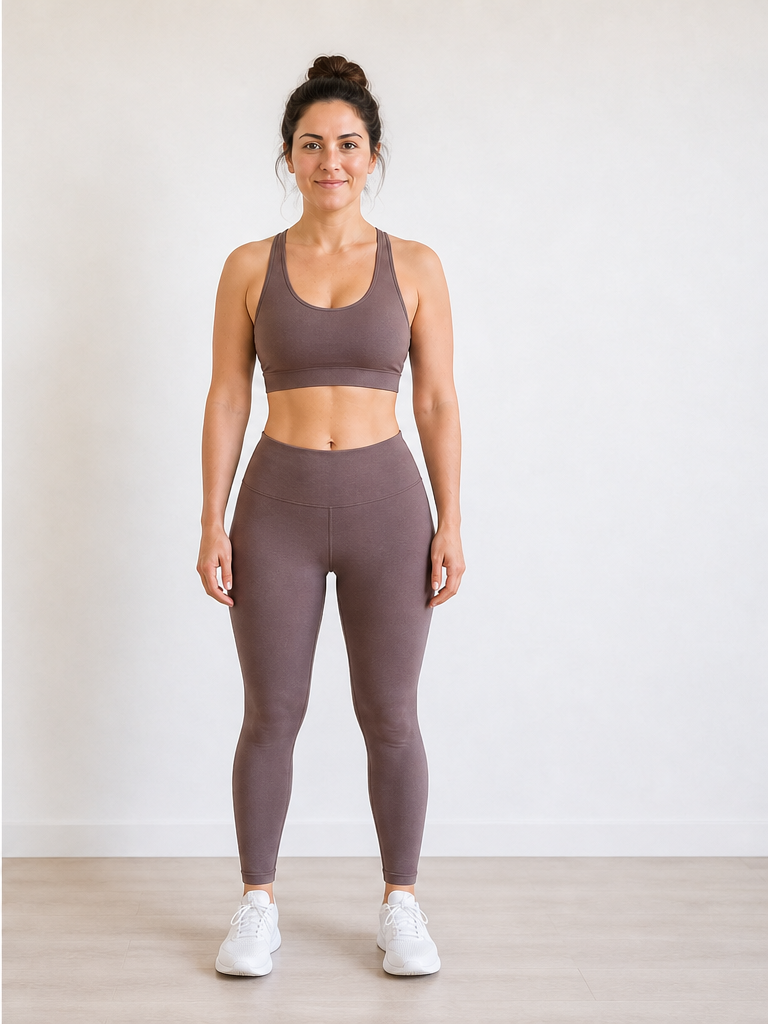 After −30 lbs
Demo · Upload your photo to generate your own
Virtual weight loss simulator vs body visualizer
Searching for a virtual weight loss simulator & body visualizer? Here's how photo-based virtual simulation compares to traditional body-visualizer tools.
| Aspect | Typical body visualizer | AI Weight Loss Simulator |
|---|---|---|
| Starting point | Manual measurements, body-fat %, or 3D scan data | A photo of your actual body |
| Output | Generic 3D avatar or silhouette | Photorealistic edit of you |
| Setup | App install, form fields, or clinic visit | Browser only — no download |
| Time to preview | Minutes to hours | About 10–15 seconds |
How virtual body visualization works
Three stages from your current photo to a virtual weight-change preview.
Create your virtual baseline
Upload a photo and the AI maps your current body shape, pose, and proportions — your digital starting point for the simulation.
Adjust the virtual weight slider
Set pounds or kilograms to lose or gain. The simulator applies that change to your virtual model while keeping your face and identity intact.
View the virtual before-and-after
Compare your original photo side-by-side with the virtual preview. Drag the slider to test multiple goal weights on the same image.
When a virtual simulator beats a 3D body visualizer
Situations where a browser-based virtual preview is the faster, more personal option.
Skip the 3D scanner
No access to a gym body-composition booth or clinical DEXA scan? A virtual weight loss simulator gives you a visual preview from a photo alone.
See your face, not a mannequin
Traditional body visualizers struggle with facial changes. Starting from your real photo means jawline, cheeks, and expression stay recognizably yours.
Test goals before committing
Virtually preview 10, 20, and 40 lbs on the same image to decide which target feels motivating — without starting three separate diet plans.
Share a digital preview
Download your virtual before-and-after to show a partner, trainer, or support group what you're working toward.
Virtual Weight Loss Simulator FAQ
Questions about virtual body visualization and how it compares to traditional body visualizers.
What is a virtual weight loss simulator?
Is a virtual weight loss simulator the same as a body visualizer?
Do I need VR goggles or a 3D body scan?
How is this different from a virtual weight loss simulator & body visualizer app?
Can I run a virtual weight loss simulator on my phone?
How realistic is virtual body visualization?
Need help picking the right photo? See our weight loss simulator with photo guide. Want picture-file input and image output? Try our weight loss image simulator. Pricing details on our pricing page.
Start your virtual preview
Open the virtual weight loss simulator above, upload one photo, and see a digital before-and-after in your browser — no VR, no scan, no install.